Enable and configure the Google job posting schema
💡 To avoid delays in indexing, we suggest you to enable this option as a last step, once you are happy with the content of your candidate pack.
Enabling this feature will make your candidate packs eligible to appear in a special user experience in Google Search results (Google jobs search). Prior to enabling this feature, we'd recommend reading through Google's job posting content policies.
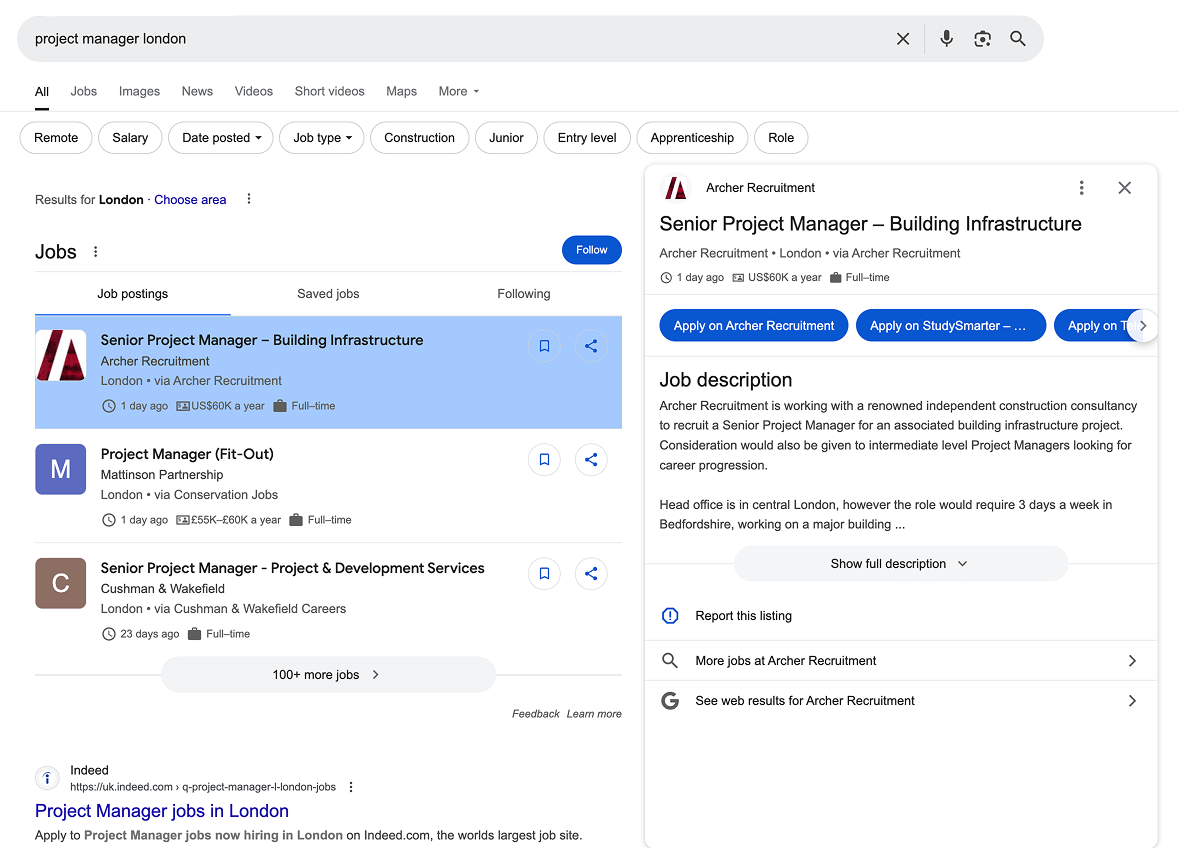
How to enable it?
Google Job Posting schema is available only when the corresponding integration feature is enabled for the active team. If the switch is locked, the active team does not have access.
-
Navigate to the candidate pack of your choice
-
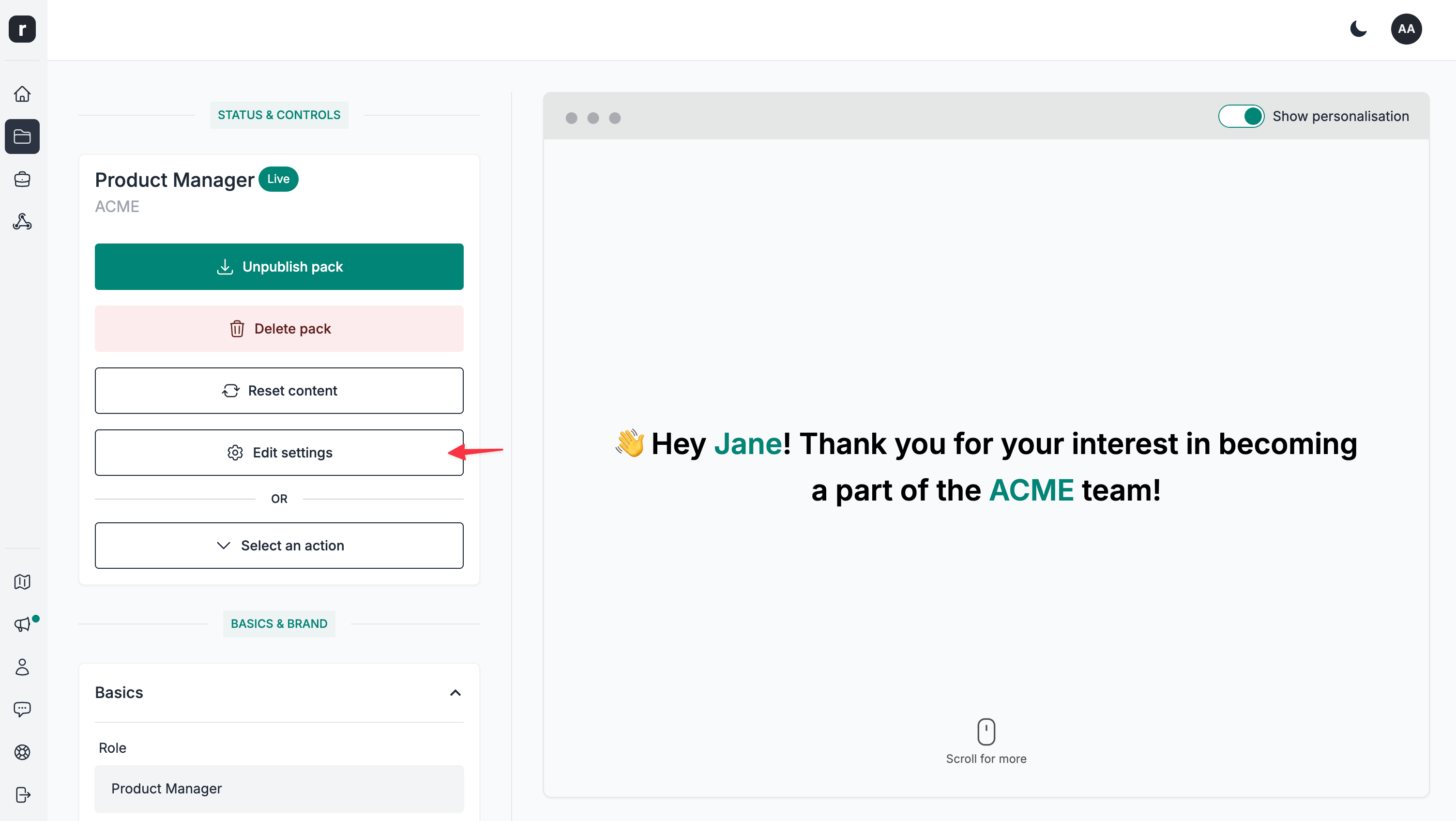
Click the
Edit settingsbutton
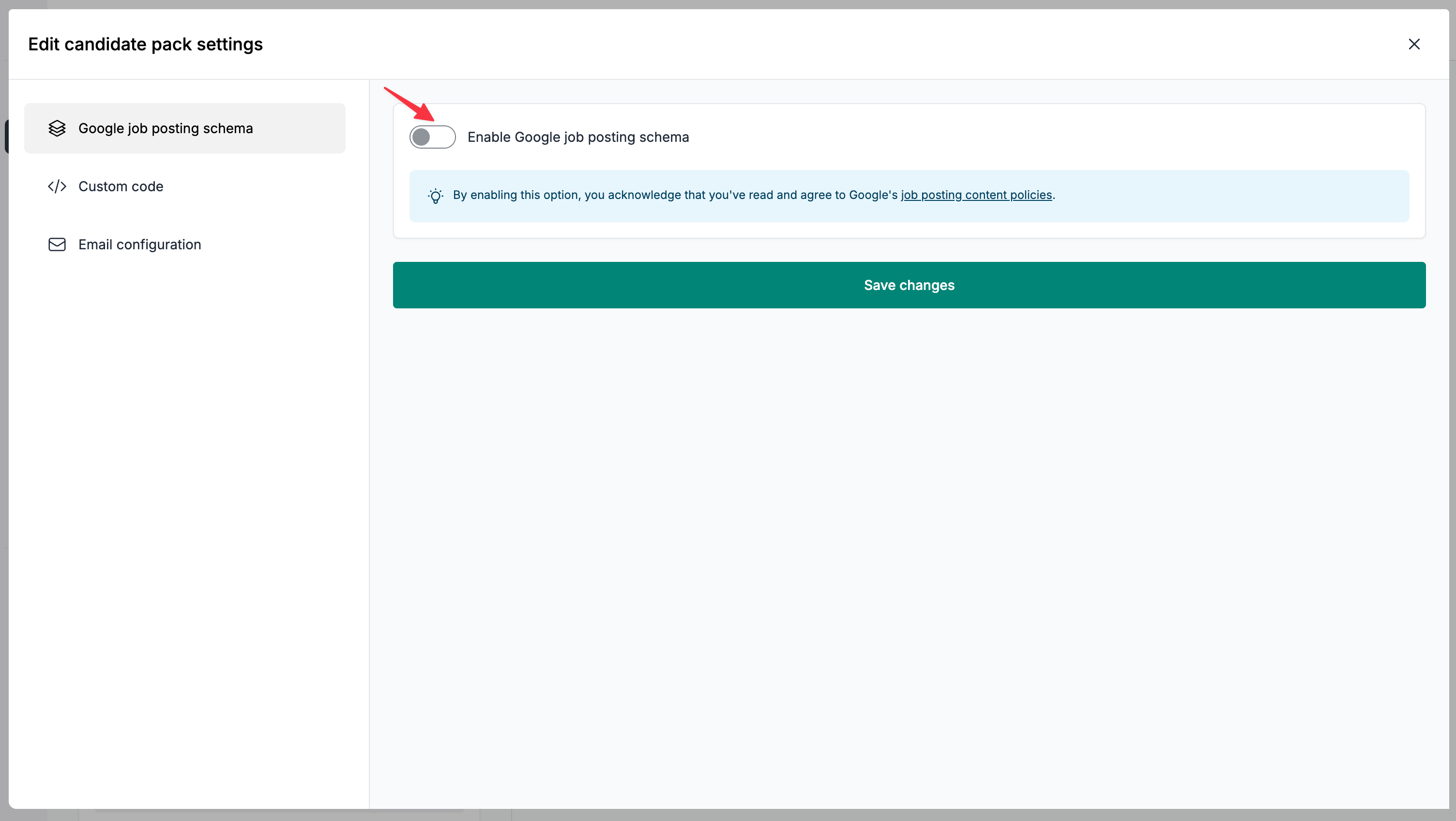
- Click on the
Enable Google job posting schematoggle
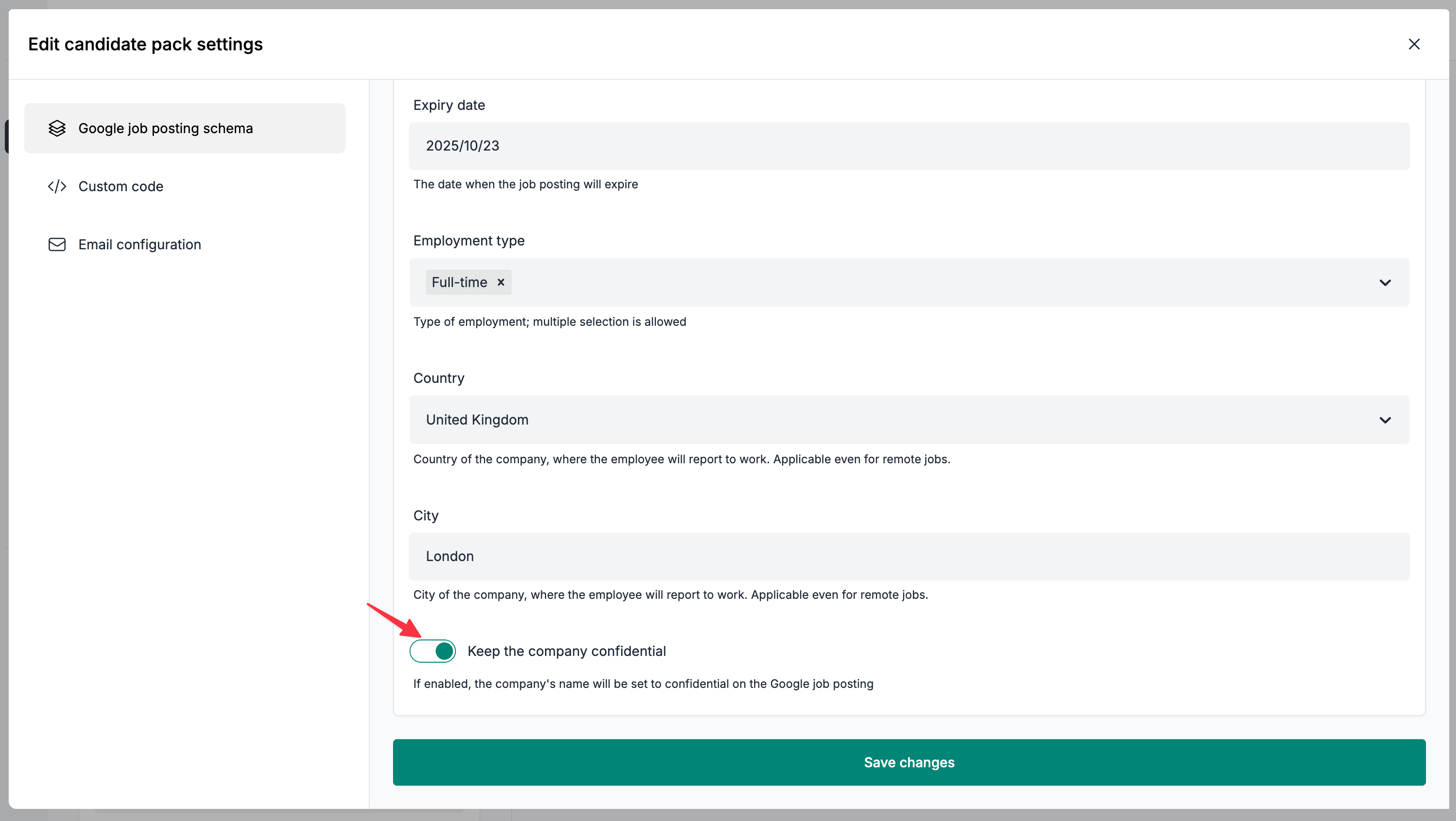
- Complete the form
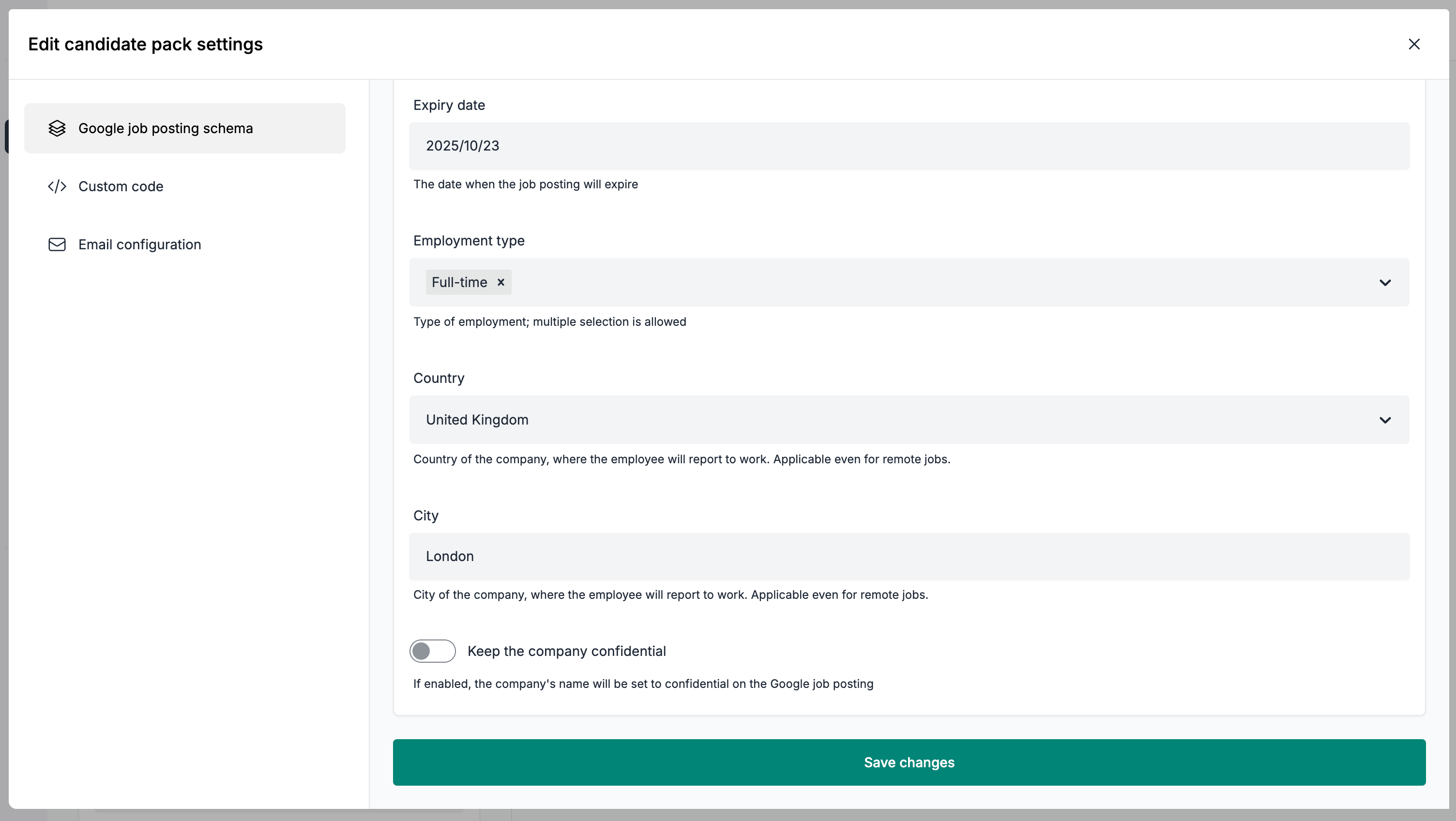
- (Optional) Enable the company confidentiality toggle, should you want to keep the company's name confidential
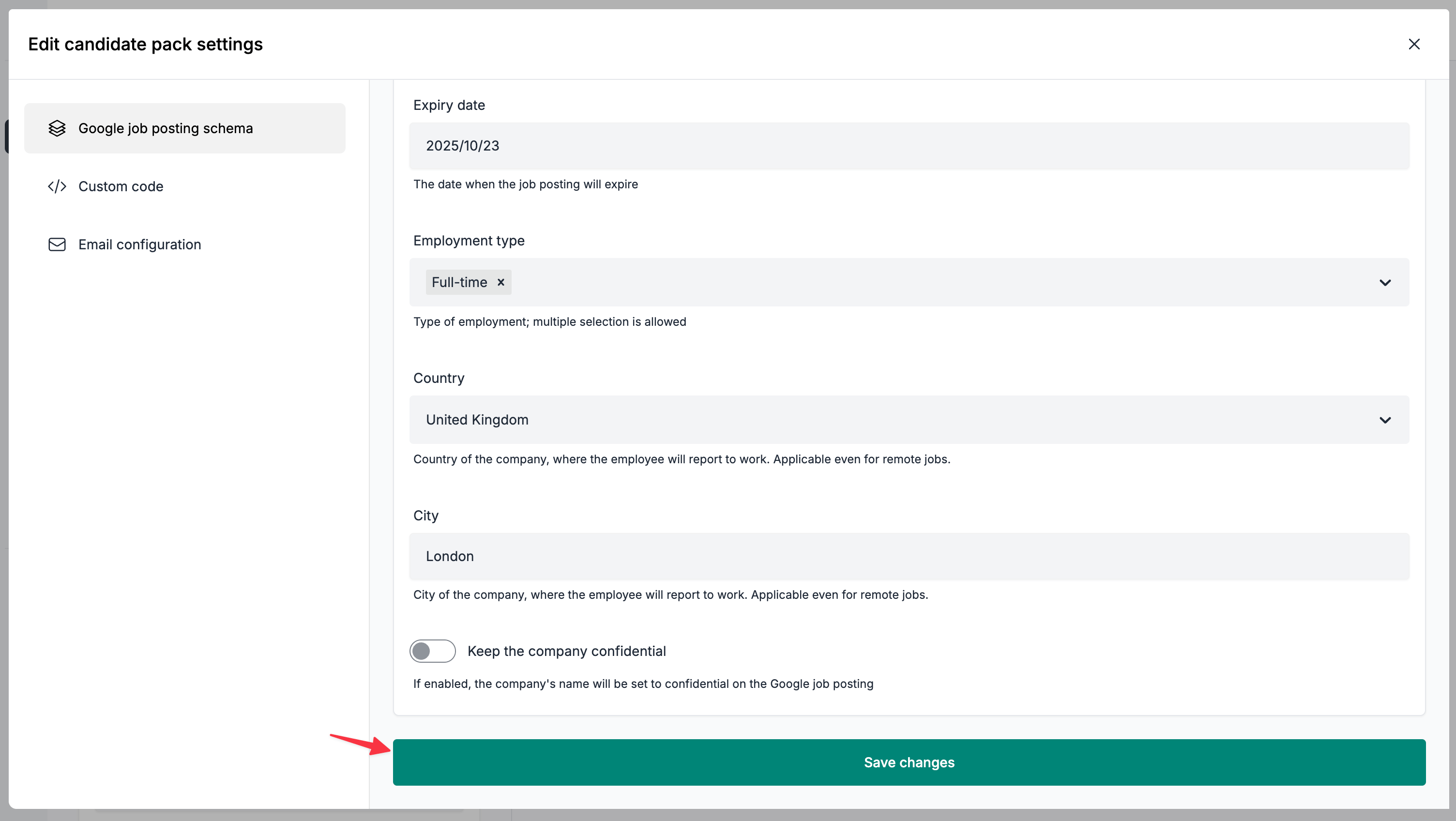
- Click the
Save changesbutton
Frequently Asked Questions
Q: When will Google index my job posting?
A: Eligible candidate packs are exposed through the /sitemaps/roles_1.xml sitemap. Google decides when to crawl and index this sitemap, so no indexing frequency is guaranteed.
Q: How can I edit the job posting's title and description?
A: We use the Role field (under the Basics section) as the job title. As for the description, we construct this based on the content of your candidate pack. We take each section's title and content and use it as the job's description field. When you update a relevant field, the sitemap entry is refreshed after the cache updates, and Google decides when to recrawl the job posting.
Q: I filled the position. How do I delist a job from Google?
A: To delist a candidate pack from Google Jobs, disable the Enable Google job posting schema toggle, then click Save changes. This turns off indexing and removes the pack from the sitemap after the cache updates. The Expiry date field only sets validThrough in the structured data; it does not change sitemap inclusion. Google decides when to recrawl the sitemap and remove the listing from search results.
Q: My job posting is not listed after several weeks. Can you help troubleshoot the problem?
A: We do have limited visibility on the reasons as of why a job posting can't be indexed, however as a first step, we'd recommend checking your candidate pack's content against Google's job posting content policies - vast majority of the time it is a content related issue. If you still encountering issues, please feel free to reach out via email.